Can I restrict solutions only for Customer Portal logged in users?
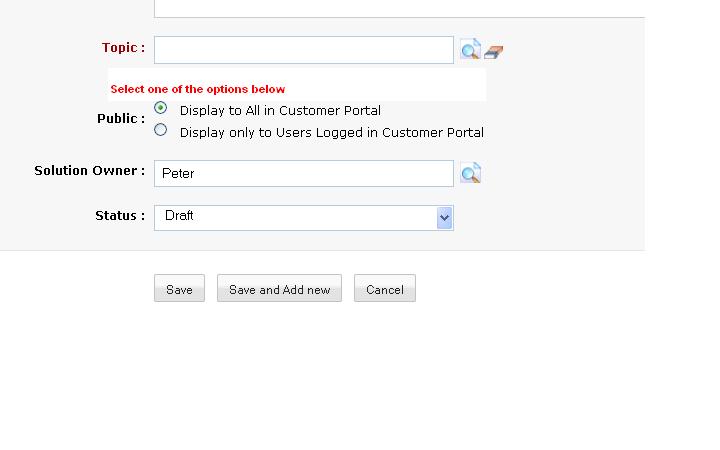
Yes, you can restrict this option when you add a solution. Choose between the two options in Public for more restrictions. Refer Add Solutions for more help.
Related Articles
Can I restrict departments for Customer Portal Users?
No, it is not possible to restrict a particular Departments for selected Customer Portal users. Once a Department is made "Public", all Customer Portal users can access that particular Department.How can I hide, restrict fields in Customer Portal?
To hide/restrict fields in Request Form in Customer Portal, Goto Setup > Admin Settings > Field Level Security >select Portal as profile and enable/dis-able fields that would you like to show up in Request Form.How to de-activate a Customer Portal User?
To de-activate Customer Portal User, Goto Setup > Customer Portal Settings > Customer Portal Users. The list of Portal Users who have been added would be displayed. Select the user you intend to de-activate and click Deactivate Portal User.How do I add Customer Portal for my organization?
Customer Portal is automatically enabled if you add Portal Users. To add portal users: Goto Setup > Customer Portal Settings > Customer Portal User > Add Portal User. Also, you can add a contact as portal user. Just open an added contact and click ...Can I re-invite a Customer Portal user?
Yes, you can re-invite your Customer Portal user if they have not accepted their first invite. To carry out this function, Goto Setup in Zoho Support > Customer Portal Settings > Customer Portal Users. In the Customer Portal Users page, you can find ...